
Confirm your site qualifies.
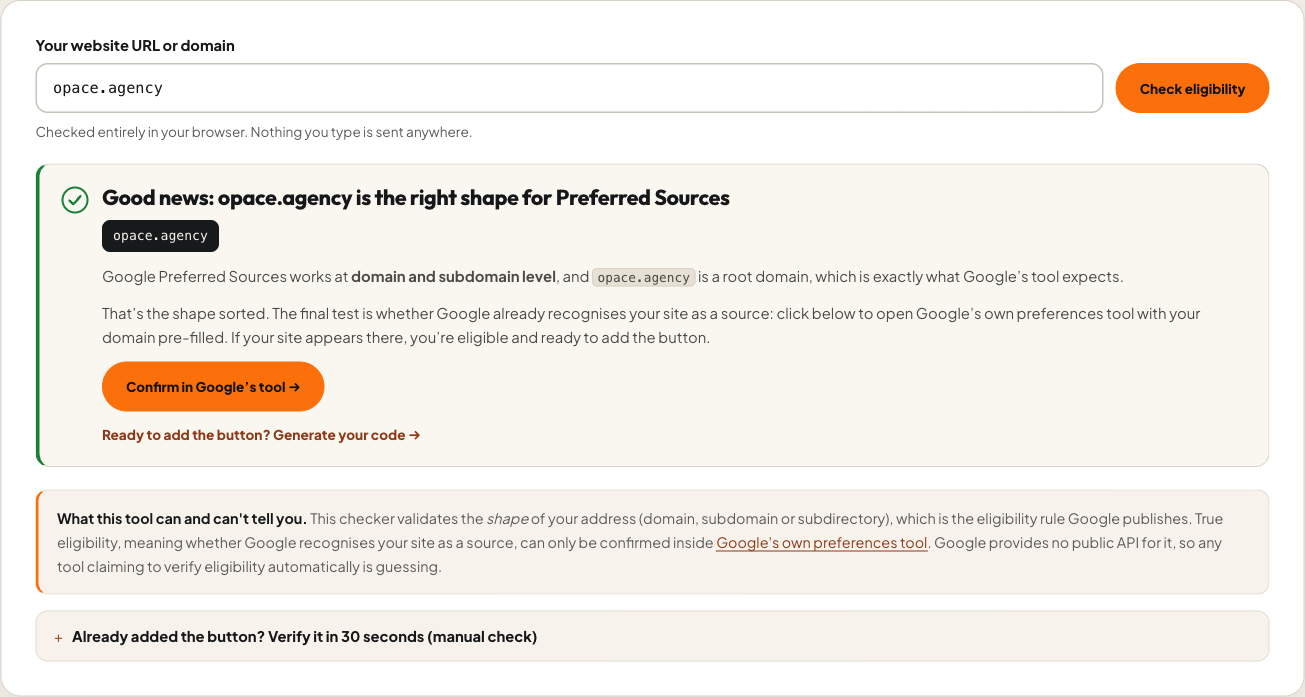
The built-in eligibility checker validates your setup and warns about subdirectories, localhost and staging addresses that Google cannot recognise as eligible sources.
Open source · Free
Check eligibility, generate Add as Preferred Source for Google button code for seven platforms or install the free WordPress plugin.
Start with your site
Start with your domain, then choose the checker, generator, Chrome extension or WordPress source for the job in front of you.
How it works
Three steps from activation to a button that earns opt-ins, with every claim on the analytics screen measured, not modelled.
The built-in eligibility checker validates your setup and warns about subdirectories, localhost and staging addresses that Google cannot recognise as eligible sources.

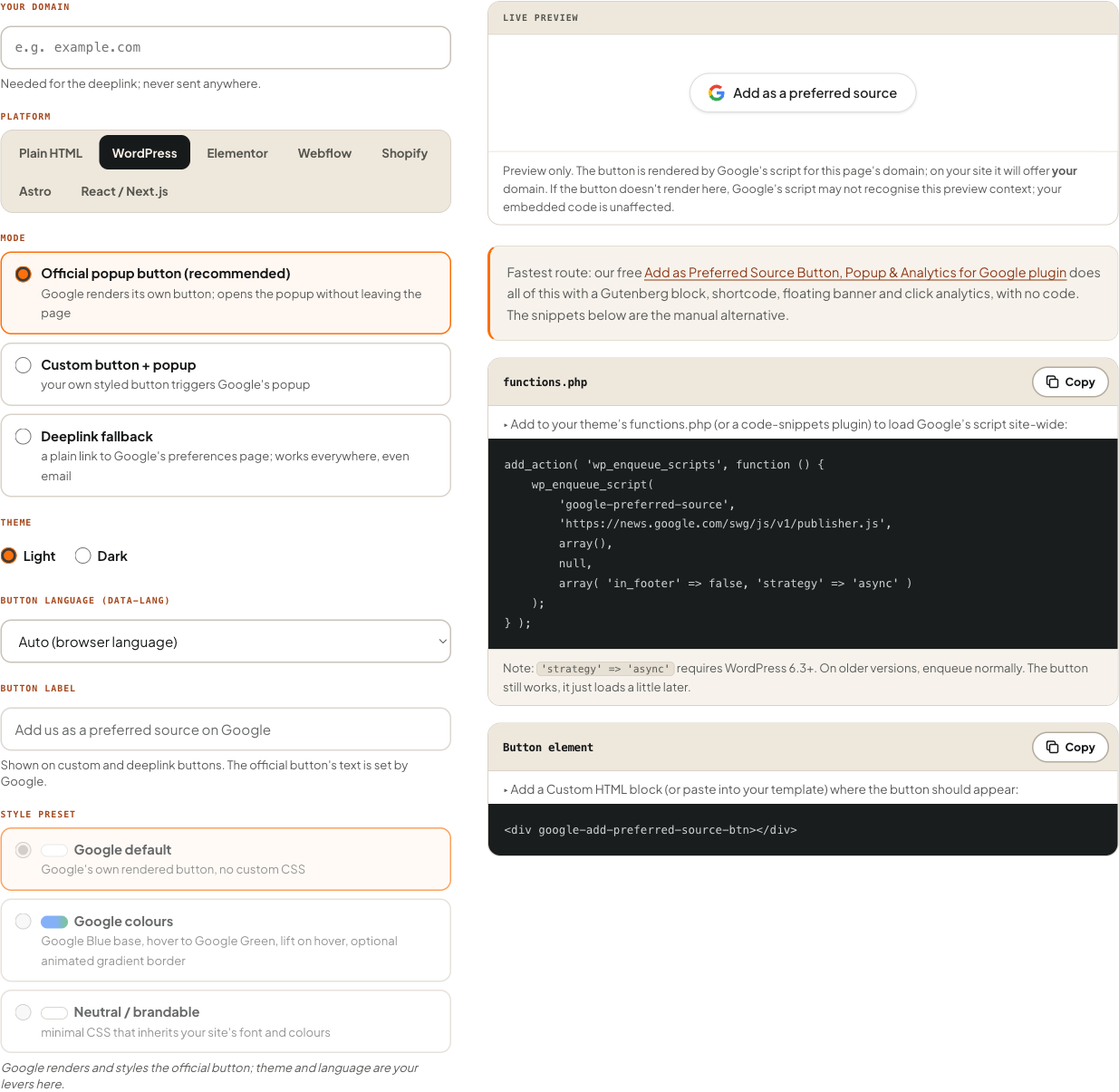
Block, shortcode, widget, floating banner or auto-placement, or let smart placement rotate five positions and learn.

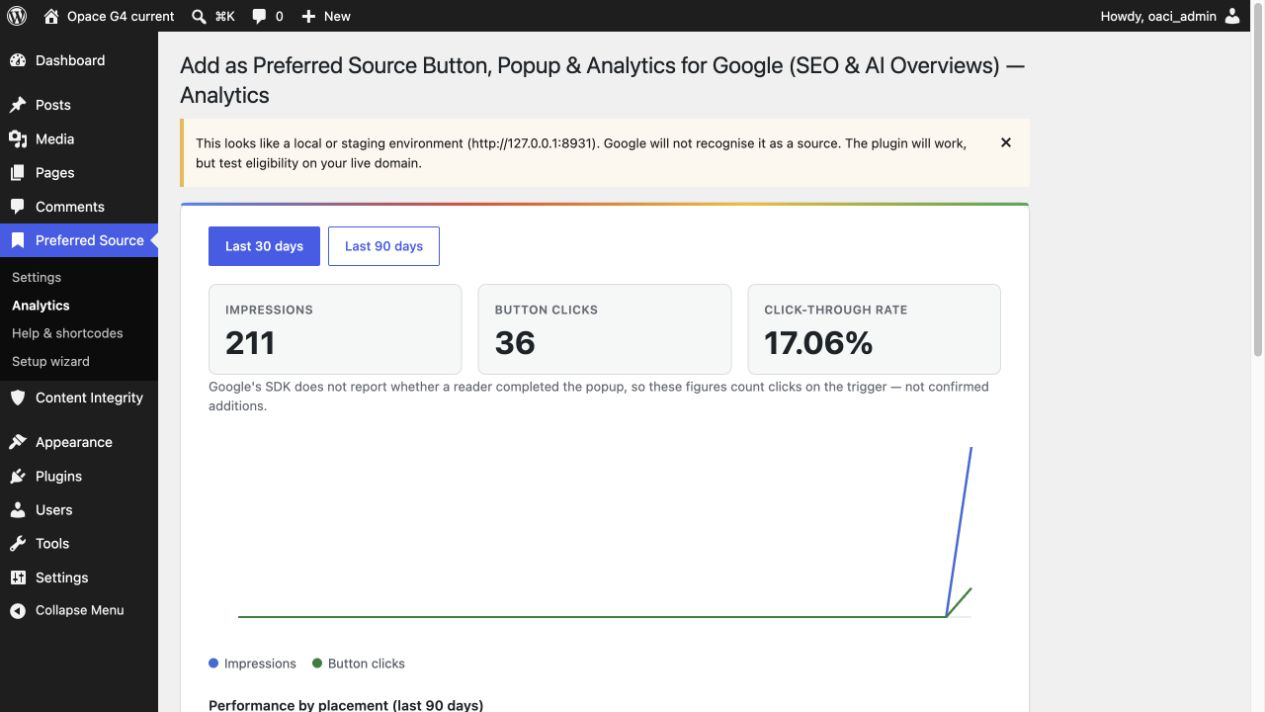
Impressions, clicks and CTR per position, plus a GA4 event. Labelled clicks throughout, because Google reports no completions.
The button, popup and deeplink all use only the surface documented in Google's official Preferred Sources documentation.
See the complete suite
These are genuine screens from the browser-based eligibility checker, multi-platform button generator and WordPress plugin. Select an image to inspect it at full size.
 View larger ↗
  View larger ↗
  View larger ↗
 What's in the plugin
Use a block, shortcode, widget, floating banner or automatic placement for the Google Preferred Sources button & popup. Compare impressions, clicks and click-through rate for every tested position.
Smart placement
Smart placement rotates five content-aware positions, from after your opening insight to the end of the post, and records aggregate impressions and clicks for each. Once a position proves itself, it's served 90% of the time while the remaining 10% keeps testing the field.
Every placement route
Use the Gutenberg block, the [opace_preferred_source],
[opace_preferred_source_button] or [opsrc_button] shortcodes, a
widget, a floating banner or automatic in-content placement.
CRO triggers
Show the prompt on scroll depth, after a time delay, on exit intent or to returning visitors, and suppress it automatically once a reader has clicked.
Honest analytics
Per-position Google Preferred Sources analytics and an optional GA4 event per click. Google's SDK has no completion callback, so every figure is labelled as clicks, never conversions.
Eligibility and consent
The built-in checker warns when a site can't qualify (subdirectories), and GDPR two-click mode makes the first request to Google happen only after the reader's explicit click.
Built for networks
Network administrators set defaults once across a multisite install, and a white-label filter lets agencies present the admin screens under their own name.
What the reports measure
Each figure is labelled by what the plugin can measure directly.
Open source · GPLv2 or later
The whole suite in one install: the official Google Preferred Sources button & popup, a Gutenberg block, three shortcodes, a floating banner, smart placement, CRO triggers and honest click analytics. The source, documentation and version history are public on GitHub. Requires WordPress 6.2+ and PHP 7.4+.
01  Download or build v1.1.4 from the GitHub repository
02  Plugins → Add New → Upload Plugin
03  Activate, then open Settings → Preferred Source
04  Run the built-in eligibility check
05  Pick a placement, or turn on Smart placement
06  Watch clicks arrive in Analytics
Questions before installing
The official Add as Preferred Source for Google popup button, rendered by Google's own publisher.js script. When a reader clicks it, Google's popup opens on your page and they can add your site as a preferred source in a couple of clicks. If the script is blocked, the plugin automatically falls back to the documented deeplink to Google's preferences page, so the button never dead-ends.
Anywhere: a Gutenberg block, three shortcodes ([opace_preferred_source], [opace_preferred_source_button] and [opsrc_button]), a widget, a floating banner, or automatic placement inside your content. Smart placement can also choose the position for you.
An optional mode that rotates five content-aware positions, learns from aggregate click statistics, and then serves the best performer 90% of the time while still testing alternatives with the other 10%. It uses counts, not personal data.
No, and neither can anything else: Google's SDK provides no completion callback. The plugin measures impressions, clicks and CTR, and can send a GA4 event per click, and everything in the interface is labelled as clicks, never conversions.
Domains and subdomains qualify; subdirectories don't. The plugin includes an eligibility checker that warns about subdirectory, localhost and staging setups, and our free online checker explains the published domain rules before you install anything.
With two-click mode on, no request is made to Google when the page loads. The reader sees a neutral first button; only after they click it does the plugin load Google's script and show the real popup button, so the Google request happens on explicit interaction.
Yes. Network administrators can set defaults across the network, and a white-label filter lets agencies rename the admin screens for clients.
Yes. Version 1.0.1 of the Preferred Sources Chrome extension is published publicly in the Chrome Web Store. It audits eligibility, publisher SDK loading, button setup and fallback links on the page you are viewing. Its source remains public on GitHub.
No. Preferred Sources is per-reader personalisation, not a ranking signal. Readers who prefer your site see more of it in Top Stories, Discover and AI Overviews, and Google reports they click through roughly twice as often. The plugin's job is making that opt-in easy to ask for.
Created by Opace Digital Agency
Opace builds and supports practical WordPress and SEO systems from Birmingham for organisations across the UK and internationally. This plugin comes from that client work.
WordPress block, shortcode, widget and banner
Related open-source projects: WordPress plugin, framework packages and the Chrome Site Checker with source on GitHub. Browse every Opace project on the Opace GitHub hub.
This plugin is independently developed by Opace Digital Agency and is not affiliated with, endorsed by or sponsored by Google. Google and the Google logo are trademarks of Google LLC. Licensed under GPLv2 or later.