2-minute overview
See the core editing workflow in two minutes.
A quick look at editing rendered text, moving declared sections and reviewing changes before they reach the source.
Astro Dev Toolbar editor · Open source
The Astro Visual Editor edits text and metadata from the rendered page, then reviews and commits approved changes to Astro source files.
 Visual Editor Connected
 Watch the editor in use
Both videos use the real Astro integration and show the visible review step before any source file is changed.
2-minute overview
A quick look at editing rendered text, moving declared sections and reviewing changes before they reach the source.
Complete tutorial
The complete tutorial covers setup, text and SEO editing, section controls, page layouts, review and recovery.
The review loop
The browser remains the shared context. The source file changes only after the full batch has been checked and deliberately committed.

Click editable text or use the toolbar. Each proposed change appears on the page first.

The queue records the old value, new value, edit type, and expected source file.

One deliberate action checks and writes every update, or leaves the source untouched.
Real editor screens
Select any screenshot for a larger view of the section tree, page metadata editor or local recovery history.
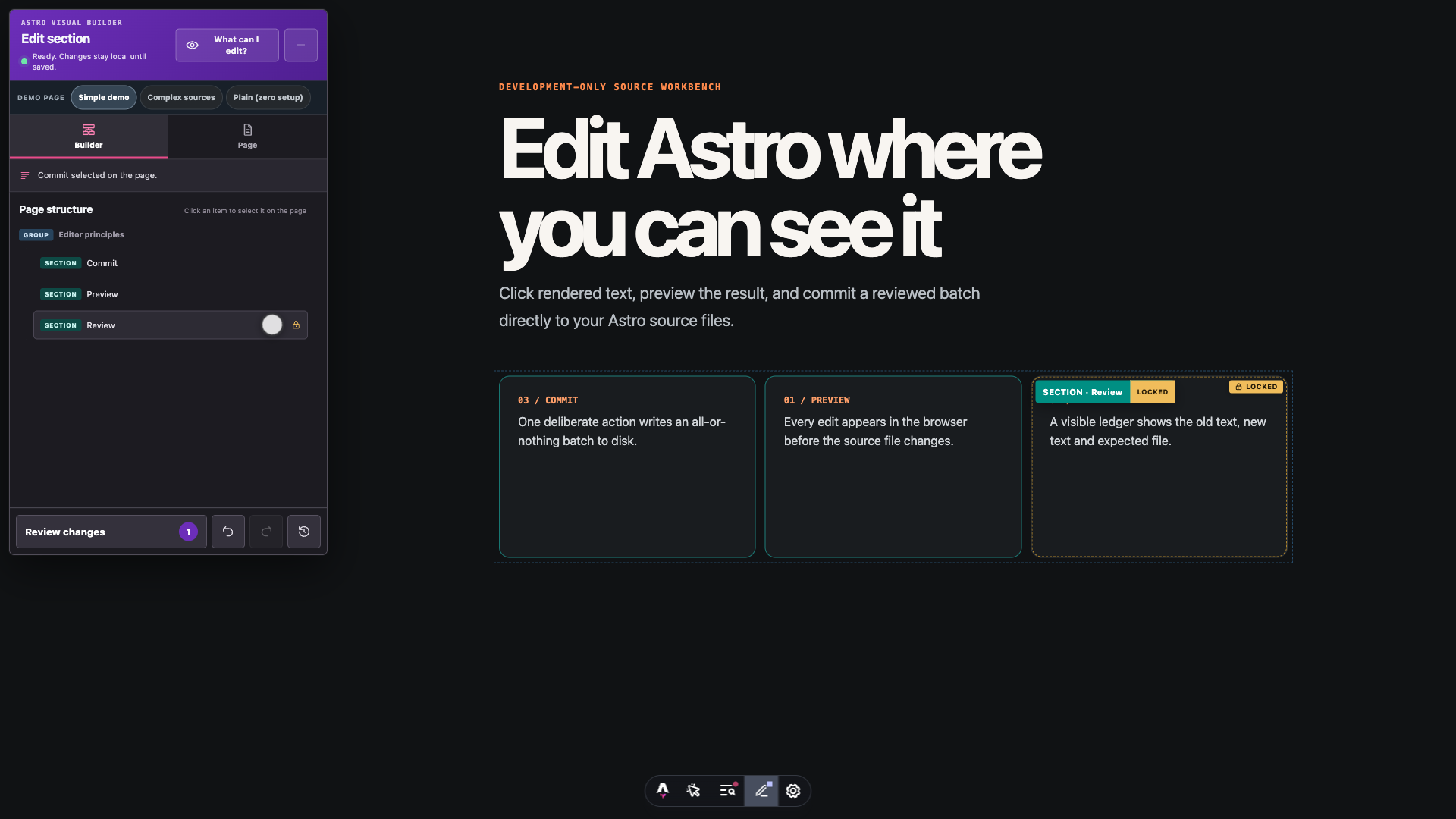 View larger ↗
 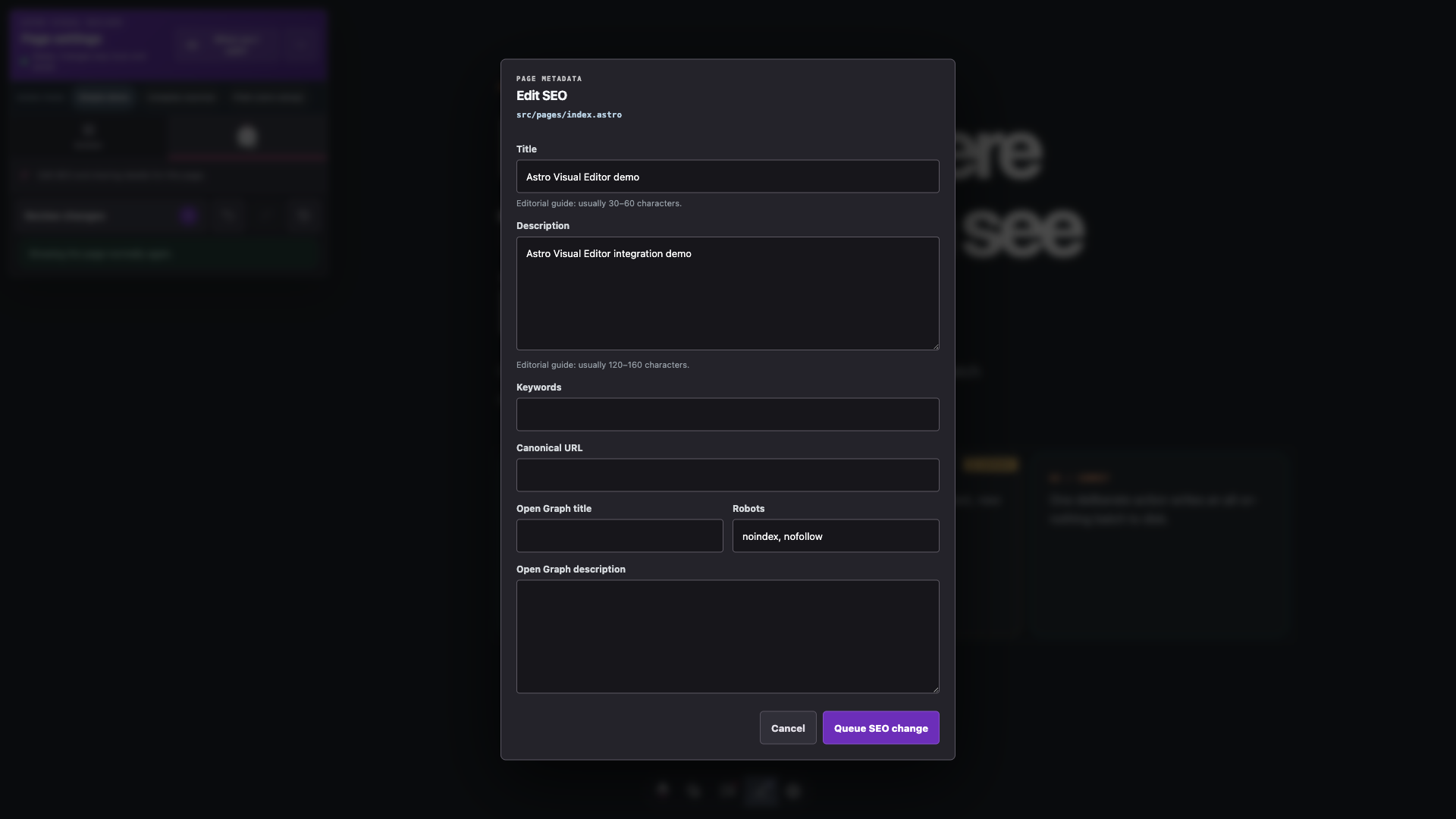 View larger ↗
 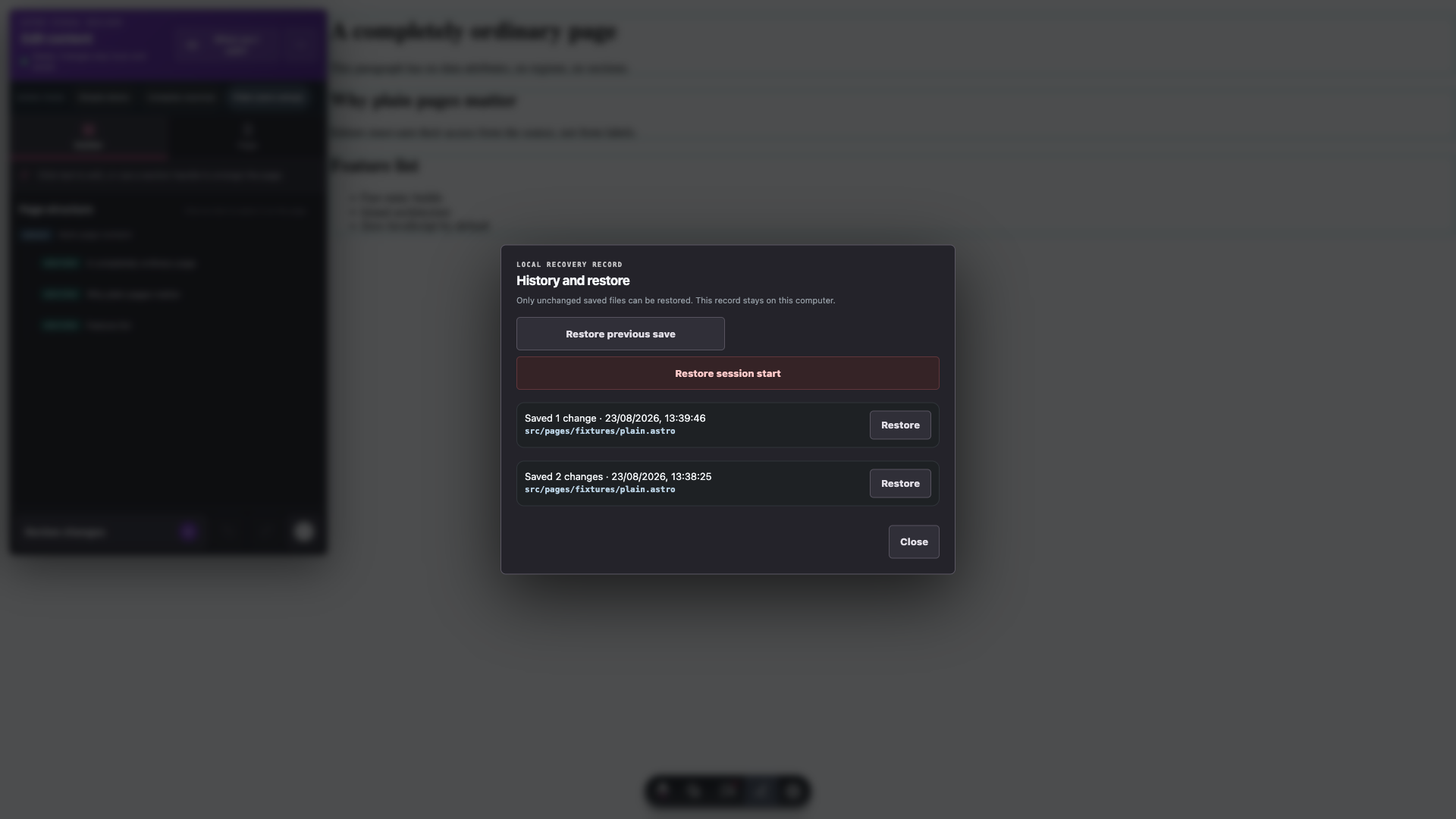 View larger ↗
 What it edits
Rendered text
Exact file annotations, route context, and structured paths identify where content is owned. Ambiguous expressions stop with a clear error instead of guessing.
Sections
Reorder, add, and delete sections with pointer, keyboard, or explicit move controls. The review ledger records section changes alongside text and SEO edits.
SEO
Page title, description, canonical URL, Open Graph data, robots, and keywords use the same preview and review transaction.
Source adapters
Syntax-aware adapters target literal values and exact structured paths while preserving comments and surrounding file structure where the format supports them.
Local development controls
The editor checks the source, validates each change and writes the reviewed batch atomically.
Open-source project
The public repository includes the integration guide, supported source formats, safety controls and automated tests for the editor workflow.
README  Setup and editing workflow
SOURCE  Astro, Markdown, JSON and YAML adapters
TESTS   Parsing, validation and safe writes
LICENCE MIT open-source licence
Questions before installing
No. Astro Visual Editor is built for local development. Production builds contain no public write route or editor client bundle.
You can move, add, or delete sections inside regions a developer has declared editable. That boundary keeps source updates predictable and prevents unrelated page structures from being changed by accident.
Not in every project. It suits source-controlled Astro sites where editors need a direct, reviewable way to make bounded changes. A team with permissions, publishing workflows, or a large content operation may still need a full CMS.
Use the public GitHub issue tracker with the Astro and Node versions, a small reproduction, and the result you expected.
Created by Opace Digital Agency
It is created and maintained by Opace Digital Agency's Astro development team. If you need a wider website project, see the web design services provided by Opace or get in touch.

Built in Birmingham for teams everywhere